AI-generated illustration created for this guide. The people shown are not customers or a case study.
A useful AI marketing workflow starts with one recurring job: a campaign brief, a draft, or a report. Choose a job you can inspect, keep the final decision with a person, and measure the time and quality of the result.
This guide is for teams working with Brazilian audiences. The prompts below are templates to adapt to your product, language and review process. They are not evidence that Brazilian agencies produce three times more content or cut their teams in half.
Start with a baseline you can reproduce
Choose three comparable pieces from your normal workflow. Record research, drafting, review and publishing time separately. Count rejected drafts and factual corrections. Then try the same type of work with AI assistance and the same reviewer.
| Measure | How to record it |
|---|
| Accepted pieces | Count work that passes your normal quality check. |
| Total human time | Include briefing, editing, checking and publishing. |
| Tool spending | Include subscription allocation and any usage credits. |
| Cost per accepted piece | Divide human cost plus tool spending by accepted pieces. |
| Factual corrections | Count claims that needed a source or were removed. |
| Campaign result | Use your actual attribution window and approved business metric. |
Compare a useful output with a useful output. More drafts do not automatically mean more qualified visitors, sales or lower ad costs. A numerical target in a prompt is a planning choice, not a claimed industry average.
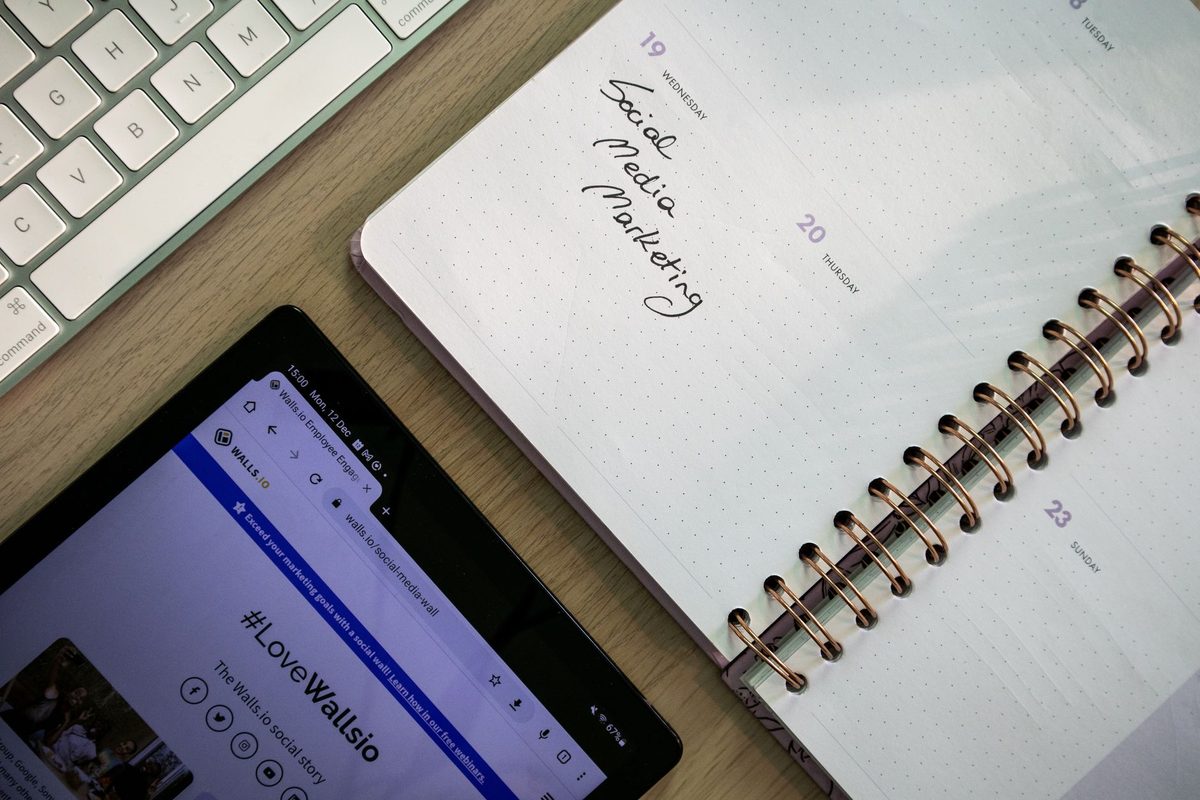
Photo: Walls.io via Pexels. Used under the Pexels License.
Where AI Creates the Biggest Impact in Marketing
Choose one of these tasks based on the work your team repeats:
- Content production — First drafts, channel variations, content repurposing.
- Topic and search intent research — Theme mapping, competitor analysis.
- Ad copy optimization — Title, description, and CTA variations for A/B testing.
- Campaign analysis — Actionable summaries from raw data.
- Email marketing — Sequences, subject line segmentation, scale personalization.
- SEO — Article structure, meta descriptions, internal linking.
- Social media — Editorial calendar, captions, strategic hashtags.
4-Block Implementation Framework
Block 1: Content Strategy
Use AI to build the strategic foundation before producing any asset.
Critical point: Always validate the strategic angle before production. AI gives you the map—you choose the route.
Prompt 1: Monthly Content Calendar
Act as a digital marketing content strategist for [company type] in Brazil.

Context:
- Company: [name/description]
- Target audience: [detailed profile]
- Product/service: [what you sell]
- Active channels: [blog, Instagram, LinkedIn, email, YouTube]
- Monthly goal: [generate leads / nurture database / launch / branding]

Task: Create a 4-week editorial calendar with:
- 3 posts per week (12 total)
- For each: title, primary channel, format (carousel/video/article/story), angle, opening hook
- Distribution: 40% top of funnel, 35% middle, 25% bottom
- Consider relevant dates in Brazil for the month
- Include 1 "controversial" or counterintuitive post per week (drives engagement)

Deliver as a table format.
Prompt 2: Topic Research by Search Intent
My business is [describe]. My audience searches for solutions to [problems].

List 20 content topics organized by intent:

INFORMATIONAL (top of funnel):
- 7 topics answering common questions
- Suggested format for each

COMPARISON (middle of funnel):
- 7 topics comparing solutions, methods, or products
- Suggested format for each

DECISION (bottom of funnel):
- 6 topics helping with purchase decisions
- Suggested format for each

For each topic, include: estimated search volume (high/medium/low), ranking difficulty (high/medium/low), and main keyword suggestion.
Prompt 3: Generating Differentiated Angles
I need to create content about [topic] for [audience].

Give me 10 different angles to approach this topic:
- 3 educational angles (teach something practical)
- 2 storytelling angles (real or hypothetical story)
- 2 provocative angles (challenge a common belief)
- 2 data angles (based on numbers/research)
- 1 behind-the-scenes angle (show the process behind)

For each angle: suggested title, opening hook (1 sentence), and why it works.
Block 2: Production and Distribution
Create a standard workflow that transforms a brief into a publishable final piece.
AI Production Workflow (5 Steps)
STEP 1: BRIEF (human — 5 min)
- Goal of the piece
- Specific audience
- Publishing channel
- Desired tone
- References (if any)

STEP 2: FIRST DRAFT (AI — 3 min)
→ Run production prompt with brief

STEP 3: CRITERIA REVIEW (human — 10 min)
- [ ] Is it hitting the right tone?
- [ ] Does it have data/concrete example?
- [ ] Is the CTA clear?
- [ ] Is the length right for the channel?
- [ ] No made-up information?

STEP 4: CHANNEL ADAPTATION (AI — 5 min)
→ Run channel variation prompt

STEP 5: PUBLISH + DOCUMENT (human — 5 min)
- Publish
- Log in control spreadsheet
- Save prompts that worked
Timing note: Use your own time log to compare a complete piece with and without AI; the result depends on the brief, review depth, channel, and team.
Prompt: SEO-Optimized Blog Post Outline
Create a detailed outline for a blog article about:
Topic: [topic]
Main keyword: [keyword]
Audience: [profile]
Goal: [drive traffic / capture leads / educate / convert]

The outline should include:
1. SEO title (maximum 60 characters, with keyword)
2. Meta description (maximum 155 characters, with CTA)
3. Introduction: hook + article promise (3-4 lines)
4. H2s and H3s: minimum 6 sections, each with:
   - Optimized subheading
   - 2-3 bullet points of what to cover
   - Content type (text/table/list/example/quote)
5. Conclusion with CTA
6. 3 internal link suggestions (pages on our site that make sense)

Format: clear hierarchical structure, ready to expand.
Prompt: Social Media Variations
I have this content as a base (blog article):
[Paste article or summary]

Create adaptations for each channel:

INSTAGRAM (Carousel — 7 slides):
- Slide 1: provocative hook (question or strong statement)
- Slides 2-6: 1 insight per slide, short sentences, strategic emoji
- Slide 7: CTA + save this post
- Caption: 150 words, storytelling + CTA + 10 relevant hashtags

LINKEDIN (Long-form post):
- Hook in the first line (shows before "see more")
- 200-250 words, professional but not corporate tone
- End with an open question for engagement
- No excessive hashtags (maximum 5)

TWITTER/X (Thread — 8 tweets):
- Tweet 1: impactful hook with "thread 🧵"
- Tweets 2-7: 1 insight per tweet, maximum 240 characters
- Tweet 8: summary + CTA

WHATSAPP (Broadcast message):
- Maximum 3 lines
- Personal tone, like you're talking to a friend
- Link at the end

Keep the core message consistent across all channels.
Prompt: Email Marketing Sequence
Create a 5-email sequence for [goal: launch / nurture / re-engagement / onboarding].

Context:
- Product/service: [describe]
- Audience: [profile]
- Desired action: [buy / sign up / schedule demo / download resource]

For each email:
1. Send day (D+0, D+2, D+5, etc.)
2. Subject line (maximum 50 characters) + preview text (50 characters)
3. Body (150-200 words)
4. Main CTA (1 button)
5. PS (if applicable)

Rules:
- Email 1: introduce + deliver main value
- Email 2: social proof or use case
- Email 3: main objection and how to overcome it
- Email 4: urgency/scarcity (without being aggressive)
- Email 5: last chance + summary of benefits

Tone: direct, personal, like a 1-on-1 conversation. Natural Brazilian Portuguese.
Block 3: Performance and Experimentation
Every cycle should end in a testable hypothesis. AI can help increase test volume; whether quality holds depends on the review process and the evidence you collect.
Prompt: Campaign Analysis with Actionable Insights
Analyze the following marketing campaign data:

[Insert data: impressions, clicks, CTR, conversions, cost, CPA, ROAS, etc.]

Deliver:
1. EXECUTIVE SUMMARY (3 lines): what worked and what didn't
2. TOP 3 INSIGHTS: patterns explaining the results
3. HYPOTHESES: why the best creatives performed better
4. IMMEDIATE ACTIONS: 3 things to do this week
5. SUGGESTED TESTS: 3 A/B experiments for the next cycle
6. ALERT: any metric outside the norm that needs attention

Format: short bullets, actionable language. No fluff.
Prompt: A/B Test Interpretation
I ran an A/B test with these results:

VARIANT A (control):
- [metrics: impressions, clicks, CTR, conversions, etc.]

VARIANT B (test):
- [metrics: impressions, clicks, CTR, conversions, etc.]

Questions:
1. Is the difference statistically significant or just noise?
2. If there was a winner, WHY did it likely perform better?
3. What to test in the next cycle based on this learning?
4. Should I scale the winner or iterate more?

Consider: sample size, test duration, and confidence level.
Prompt: A/B Test Variations for Ads
I have this ad running:

Headline: [current headline]
Description: [current description]
CTA: [current CTA]
Audience: [segment]
Platform: [Google Ads / Meta Ads / LinkedIn Ads]

Create 5 testable variations, changing ONE variable at a time:

HEADLINE VARIATIONS (3):
- Approach test: pain vs. benefit
- Format test: question vs. statement
- Specificity test: generic vs. concrete number

CTA VARIATIONS (2):
- Urgency test: with vs. without
- Action test: "Learn more" vs. "[specific action]"

For each variation, explain: what changes, why test it, and which hypothesis to validate.
Block 4: Documentation and Scaling
Without documentation, you go back to winging it. Everything that works needs to become a playbook.
Prompt: Create Internal Marketing Playbook
Help me create a marketing playbook for my team.

Context:
- Company: [type]
- Team: [number and roles]
- Channels: [list]
- Tools used: [list]
- Publishing frequency: [per channel]

The playbook should include:

1. OVERVIEW
   - Marketing mission in 1 sentence
   - Priority audiences (personas)
   - Brand tone and voice

2. PROCESSES BY CHANNEL
   - For each channel: brief → production → review → publish → analyze
   - Owners per step
   - SLAs (maximum time per step)

3. PROMPT LIBRARY
   - Categories: strategy, production, analysis, documentation
   - Top 10 most-used prompts (with template)

4. CALENDAR AND CADENCE
   - Frequency per channel
   - Fixed dates throughout the year
   - Weekly planning ritual

5. METRICS AND REPORTS
   - KPIs per channel
   - Weekly report template
   - Decision criteria (when to pause, scale, or pivot)

Format: structured document, ready to share with the team.
Save prompts, templates, and learnings in an internal library accessible to the whole team. Update monthly based on results.
AI-Powered Launch Campaign: Complete Step-by-Step Guide
Let's simulate a real launch campaign, from scratch to publication. Use the sequence below as a planning exercise, then time each step in your own operation; AI may change the balance between drafting, review, setup, and analysis.
Days 1-2: Strategic Planning
Task: Define positioning, audience, and core message.
I'm launching [product/service] for [audience] in Brazil.

Help me define:
1. Value proposition in 1 sentence (maximum 15 words)
2. 3 key messages that should appear in all communications
3. Primary and secondary audience (demographic + psychographic profile)
4. 5 objections the audience will have and how to address each one
5. Competitive advantage vs. [competitors]
6. Communication tone for the campaign
7. Campaign hashtag (if applicable)
Days 3-4: Content Creation
Task: Produce all campaign assets.
Asset checklist (generate with AI, review as a human):
Planning note: Treat the checklist as a starting scope, then record the actual time for drafting, review, setup, and revisions before comparing workflows.
Days 5-6: Setup and Testing
Task: Configure platforms and review everything.
- Deploy landing page
- Set up email automation
- Create ad campaigns (using generated variations)
- Schedule organic posts
- Test links, forms, and tracking
Days 7-8: Pre-Launch
Task: Build anticipation.
Create a 3-day pre-launch sequence for [product]:

DAY -3: Teaser (build curiosity without revealing)
- Instagram Story post
- "Something's coming" email

DAY -2: Partial reveal (show benefit without showing product)
- Instagram feed post
- Email with 1 highlighted feature

DAY -1: Social proof + urgency
- Testimonials (if beta testers available)
- "Tomorrow's the day" email
- Countdown Story

For each asset: ready-to-use copy + suggested visual.
Days 9-10: Launch and Optimization
Task: Launch, monitor, and optimize in real time.
- Publish everything according to schedule
- Monitor metrics every 4 hours on day 1
- Use AI to analyze initial results and adjust ad copy
- Respond to comments/DMs with AI support (response templates)
Day 11+: Analysis and Documentation
Task: Extract learnings and document results.
Here are the results from the launch campaign:

[Collect all data: traffic, leads, conversions, CAC, ROAS, etc.]

Deliver:
1. Results vs. goals: did we hit them? Why or why not?
2. Top 3 creatives/channels that performed best
3. Bottom 3: what didn't work and hypotheses for why
4. Learnings for the next launch (5 points)
5. Recommended next steps (immediate + 30 days)
Budget Optimization: How to Reduce Ad Spend with AI
AI can help draft variations. Whether those variations reduce cost per qualified lead is something your campaign data must show.
The Traditional Problem
A team that creates only a few variations may test slowly and scale what "seems to work." The risk is wasting budget on mediocre creatives; measure it with comparable tests.
The AI Approach
- Draft a small set of copy variations tied to distinct customer needs; time the full drafting and review process
- Use your approved test budget and measurement window, with enough comparable traffic to interpret the result
- Analyze results with AI to identify patterns
- Scale only the top 3 with real budget
- Repeat weekly with new variations
Fictional arithmetic example — not a measured campaign
| Metric | Without AI | With AI |
|---|
| Ad variations tested/month | 4 | 20 |
| Testing budget (period) | $2,000 | $2,000 |
| Average CPL of tested variations | $45 | $45 |
| CPL of best variation found | $32 | $18 |
| Monthly ad budget | $10,000 | $10,000 |
| Leads generated/month | 312 | 555 |
| Difference | — | +78% more leads |
These figures only show how the arithmetic works if an accepted variation achieves a lower CPL. They do not demonstrate that AI caused the improvement. A real comparison needs similar audiences, offers, time windows and enough observations.

Photo: Lukas Blazek via Pexels. Used under the Pexels License.
Channel tactics
Instagram
What works with AI:
- Educational carousels (AI generates the 7-10 cards with copy)
- Reels scripts (AI writes, human records)
- Storytelling captions (AI creates structure, human personalizes)
- Strategic niche hashtags
Specific prompt:
Create an 8-card Instagram carousel about [topic].

Card 1: Hook (thought-provoking question or surprising statement)
Cards 2-6: 1 tip/insight per card (short phrase + emoji)
Card 7: Visual summary or checklist
Card 8: CTA (follow, save, comment, or click the link)

Suggested visual style: [clean/bold/minimalist]
Caption: 200 words with personal storytelling + CTA + 15 hashtags
Audience: [profile]
LinkedIn
What works with AI:
- Opinion posts with data (AI researches, human shares opinion)
- PDF carousels with market insights
- Comments on strategic posts (AI suggests, human publishes)
Specific prompt:
Write a LinkedIn post about [topic].

Format:
- First line: hook that appears before "see more" (maximum 150 characters, impactful)
- Body: 200-300 words
- Structure: personal story/observation → insight → data/example → reflection → open question
- Tone: professional but human. Not corporate.
- No excessive emojis (maximum 3 in the entire post)
- 3-5 hashtags at the end

Goal: [drive engagement / position as authority / generate leads]
WhatsApp (Broadcast Lists + Groups)
What works with AI:
- Short value messages (daily tips)
- Conversational sales scripts
- Mass personalized follow-ups
Specific prompt:
Create 5 WhatsApp broadcast messages about [topic/product].

Rules:
- Maximum 3 lines per message (WhatsApp is quick reading)
- Personal tone, like you're talking to a friend
- Each message has 1 hook + 1 value + 1 simple CTA
- Doesn't feel like spam (nobody wants ads on WhatsApp)
- Variations: 2 informative, 2 value-driven, 1 offer

Goal: [nurture / sell / schedule / engage]
For ready-to-use sales prompts on WhatsApp, check out our post on AI prompts for WhatsApp sales.
Email Marketing
What works with AI:
- High open rate subject lines (AI generates 10 variations for testing)
- Content segmentation by behavior
- Automated nurture sequences
- Win-back campaigns for inactive leads
Specific prompt:
Generate 10 email subject line variations for:

Email goal: [inform / sell / re-engage / nurture]
Audience: [profile]
Email content: [summarize in 1 sentence]

Criteria:
- Maximum 50 characters (better mobile display)
- Mix of approaches: curiosity (3), benefit (3), urgency (2), personalization (2)
- No fake clickbait
- Natural PT-BR (not translated from English)

For each subject: suggested preview text (40 characters).
Google Ads
What works with AI:
- RSAs (Responsive Search Ads) with 15 headlines and 4 descriptions
- Long-tail keyword research
- Landing page copy aligned with search intent
Specific prompt:
Create assets for Google Responsive Search Ad:

Product/service: [describe]
Audience: [profile]
Main keyword: [keyword]
Landing page: [URL and brief description]

Deliver:
15 headlines (maximum 30 characters each):
- 5 with keyword
- 3 with benefit
- 3 with number/data
- 2 with CTA
- 2 with brand/differentiator

4 descriptions (maximum 90 characters each):
- 1 focused on main benefit
- 1 focused on verified social proof, only if supplied
- 1 focused on the next step and a real deadline, only if supplied
- 1 focused on differentiator

3 suggested sitelinks with descriptions.
Metrics dashboard: what to track every month
Producing more doesn't help if you're not measuring. Here's the minimum dashboard every AI-powered marketing team needs.
Productivity metrics (AI efficiency)
| Metric | How to measure | Target to set from your baseline |
|---|
| Accepted pieces/month | Count work passing normal review | Set after the pilot |
| Total human time per piece | Include review and corrections | Compare with your current process |
| Cost per accepted piece | Allocated human cost + tools, divided by accepted pieces | Compare like-for-like work |
| First-draft approval rate | Approved drafts / Total drafts | Use your actual baseline |
| Prompts in library | Count | +5 per month |
Outcome metrics (business impact)
| Metric | How to measure | Frequency |
|---|
| Organic traffic | Google Analytics | Weekly |
| Leads generated | CRM / forms | Weekly |
| Cost per lead (CPL) | Budget / leads | Weekly |
| Conversion rate | Sales / leads | Monthly |
| ROAS (Return on Ad Spend) | Revenue / ad spend | Weekly |
| Engagement by channel | Native platform | Weekly |
| NPS / satisfaction | Survey | Monthly |
Weekly ritual (30 minutes)
Every Monday morning, before planning the week:
-
Review previous week's numbers (15 min)
- Traffic, leads, conversions, engagement
- What performed above/below average?
-
Update prompt library (10 min)
- Any new prompt that worked well? Add to library.
- Any prompt that needs tweaking? Version it.
-
Define the week's focus (5 min)
- 1 content priority
- 1 A/B test to run
- 1 process to optimize with AI
The 7 Costly Mistakes (Expanded)
Mistake 1: Using AI Without Clear Positioning
If you don't know who you're talking to and what your value proposition is, AI can generate generic content. "Generic + volume = spam."
Hypothetical example: An agency started using AI to create posts for all clients with the same prompt. Result: all clients had the same tone, same phrases, same style. 3 clients cancelled within 2 months because the content "didn't feel like their brand."
Solution: Create a specific context prompt for each brand/client. Include voice and tone, words they use and avoid, examples of content that worked.
Mistake 2: Publishing AI Output Without Human Review
AI hallucinates. Makes up statistics. Gets numbers wrong. Uses the wrong tone. If you publish without reviewing, you'll publish mistakes.
Hypothetical example: An e-commerce site published an AI-generated product description that said "ANVISA approved" for a product that didn't have that approval. They received a legal notice.
Solution: Every AI output goes through a checklist: data verified? tone correct? information accurate? compliance respected?
Mistake 3: Measuring Volume Instead of Results
"We published 45 posts this month!" Great. How many leads did they generate? What's the CPL? What's the ROAS? Volume without results is vanity.
Hypothetical example: A team tripled their content production with AI but the drafts stopped meeting the team’s normal quality check. More bad content = worse results.
Solution: For each piece, define the success metric before you produce it. If you can't define a metric, question whether you should produce it at all.
Mistake 4: Not Updating Prompts Based on Data
Prompts are like recipes: they need tweaking. The prompt that worked in January might not work in March because the market changed, the audience changed, the algorithm changed.
Hypothetical example: A marketing team used the same email prompt for 6 months. Open rate dropped from 28% to 14%. The subject line became predictable. When they updated the prompt with data on subject lines that had worked, the rate climbed to 31%.
Solution: Every month, review your top 10 prompts. Update based on results. Version them (v1, v2, v3).
Mistake 5: Ignoring Brazilian Context
Prompts written in English may lose context when translated for Brazilian audiences. Cultural references, expressions, humor, formality: everything is different.
Hypothetical example: A team used an American marketing prompt to generate copy. The result: phrases like "check out our amazing deal." Nobody in Brazil talks like that.
Solution: Always include in the prompt: "In natural Brazilian Portuguese, as Brazilians would actually say it. No literal translations from English."
Mistake 6: Not Training the Entire Team
If only one person on the team uses AI, the workflow can bottleneck around that person. Shared prompts and review practices make it easier to compare results across the team.
Hypothetical example: One manager learns the new workflow while colleagues keep using the old one. If every draft waits for that manager, review becomes a bottleneck. Train the team and distribute the review work.
Solution: Create a 2-hour internal training session. Share the prompt library. Do pair-prompting for 1 week. After that, everyone flies solo.
Mistake 7: Relying on Just 1 Tool
If you build your entire workflow around one tool, an API change, price increase, or outage can interrupt your marketing process.
Hypothetical example: A team built entire automations in ChatGPT. When the rate limit changed, they lost 1 week reorganizing workflows.
Solution: Use your main tool, but know how to use at least 1 alternative. Keep prompts in an external document (not just inside the tool).
Automation: When to Scale Beyond Manual
After 30-60 days of using AI manually with a method, consider automating the most stable processes.
| Process | Automation Tool | Complexity |
|---|
| Blog post → social variations | Make/Zapier + AI API | Low |
| Lead enters → email sequence | ActiveCampaign/Mailchimp + AI | Medium |
| Campaign data → automatic report | Google Sheets + API + AI | Medium |
| Negative comment → alert + suggested response | Webhook + AI + Slack | Medium |
| New content published → multi-channel distribution | Make + Buffer/Later + AI | High |
Rule: Only automate what has been working manually for at least 4 weeks. Automating something broken just scales the problem.
Implementation Checklist: 7 Days to Get Started
| Day | Task | Time |
|---|
| Mon | Choose one real campaign or content process. Set a baseline (CTR, conversion, CPL, production time). | 30 min |
| Tue | Set up your main tool. Create 3 base prompts (context, production, review). | 45 min |
| Wed | Produce 3 variations of a real piece using AI. Compare with what you would have done manually. | 1h |
| Thu | Adapt the content for 3 different channels using variation prompts. | 45 min |
| Fri | Publish and set up tracking. Start testing. | 30 min |
| Mon | Analyze early results with a campaign analysis prompt. | 30 min |
| Tue | Document: what worked, what to adjust, winning prompts. Share with the team. | 30 min |
Total: ~5 hours over 7 days to have a working AI marketing system in place.
When This Makes Sense
The difference between marketing teams that thrive with AI and those stuck in mediocrity comes down to one thing: system.
Versioned prompts. Documented workflows. Tracked metrics. Continuous testing. Shared library.
Teams with systems scale. Teams without them reinvent the wheel every week.
The practical divide is between teams that operate with a method they can inspect and teams that keep repeating manual work without a clear comparison. Size alone does not tell you which workflow will perform better.
Which side do you choose?
If you want to apply this method with guided lessons and ready-made templates, TakeAICourse.com has specific tracks for marketing with AI tailored to the Brazilian context.
The best playbook is the one you execute. Start with one process, prove the results, and scale.